Live terminal
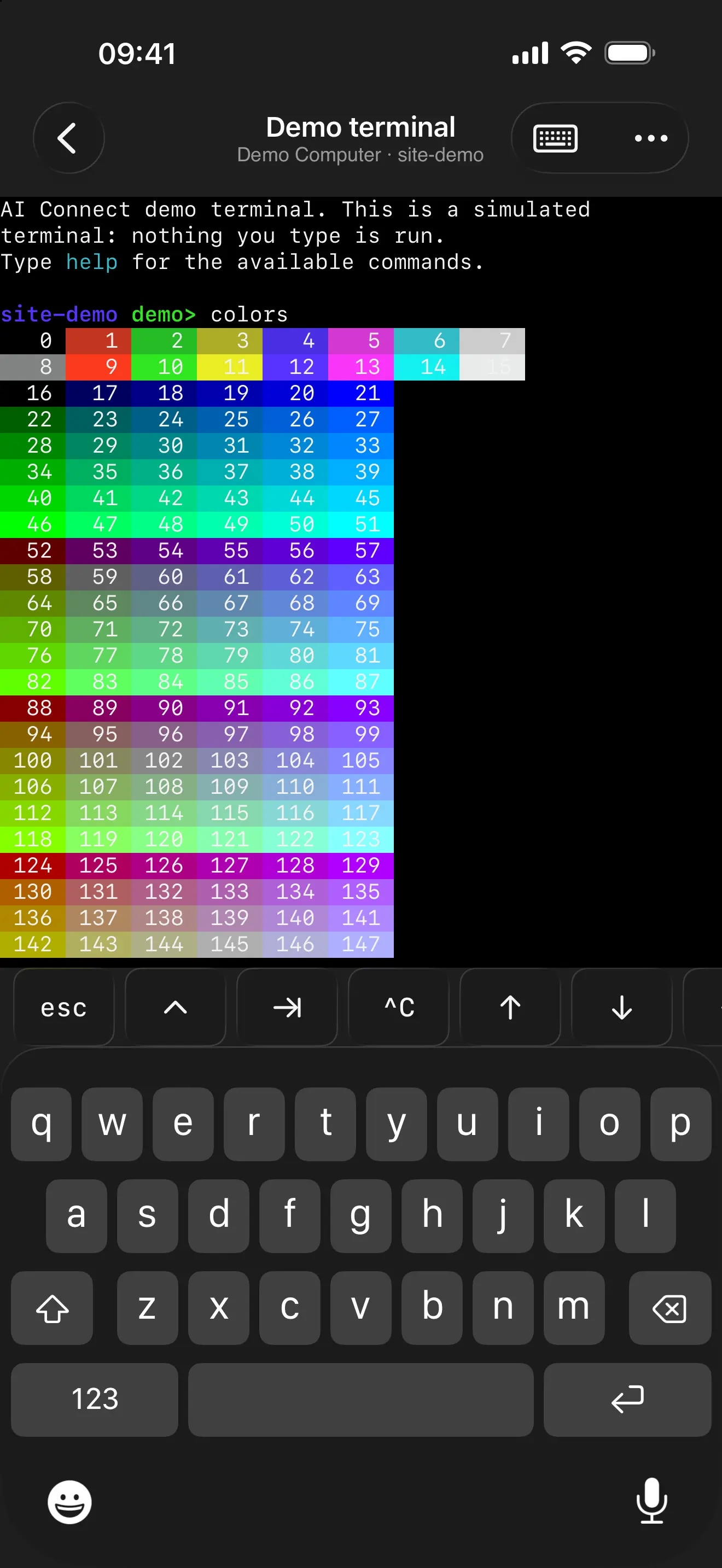
A real terminal, not a log viewer.
Every session is a live PTY with full colour and a keyboard toolbar for Esc, Tab, Ctrl and arrows. Type exactly as you would at your desk.
Free on the App Store · iOS 26
AI Connect puts the coding agents running on your computers on your iPhone. Start sessions, watch live terminals, approve changes and answer questions — from anywhere.
Unlimited computers · Unlimited sessions
Works with the tools you already run
Plus plain shells and any custom command.
The product
Scroll through a session in your hand — every screen is the real app.
Live terminal
Every session is a live PTY with full colour and a keyboard toolbar for Esc, Tab, Ctrl and arrows. Type exactly as you would at your desk.
Chat view
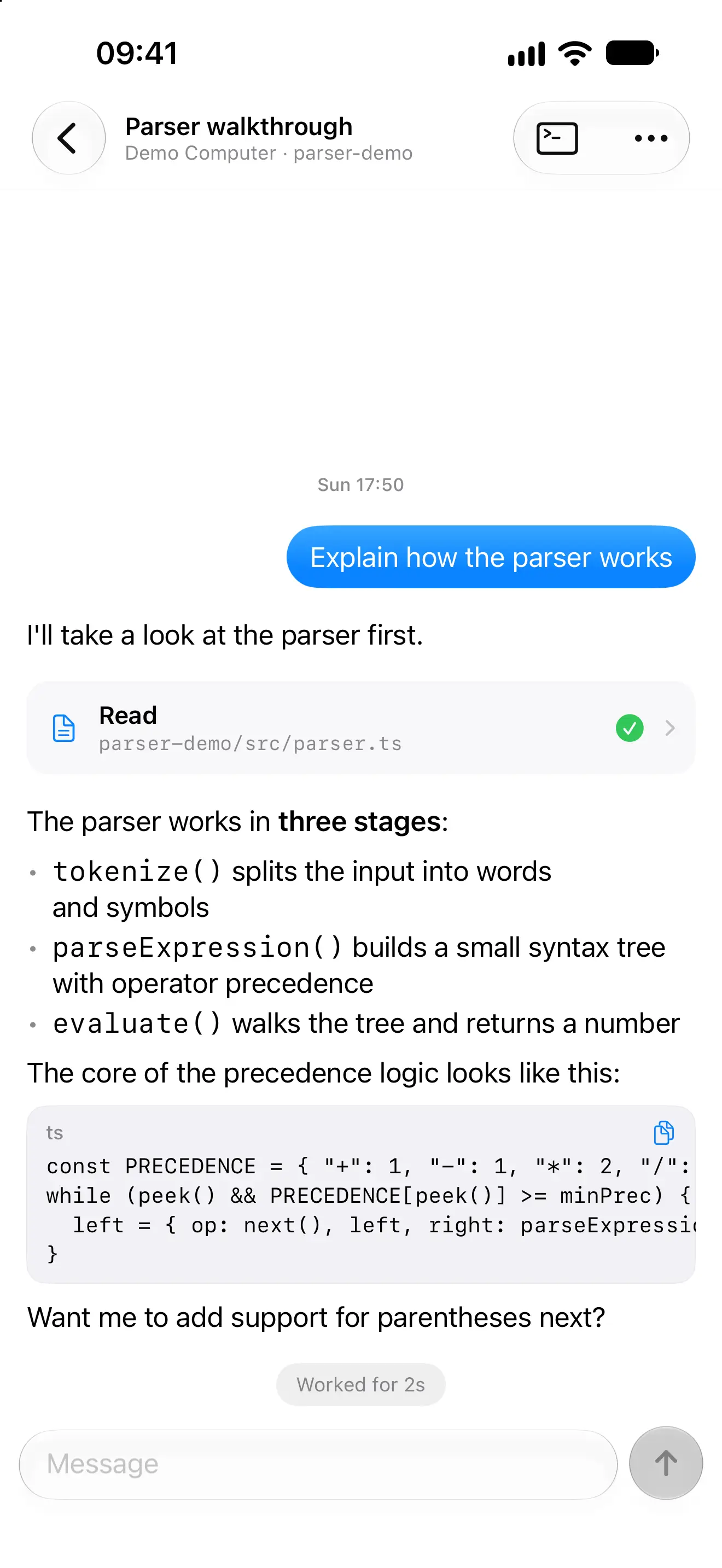
Claude sessions also get a chat view: read responses as a conversation and reply in plain language, with the live terminal one tap away.
Answer from anywhere
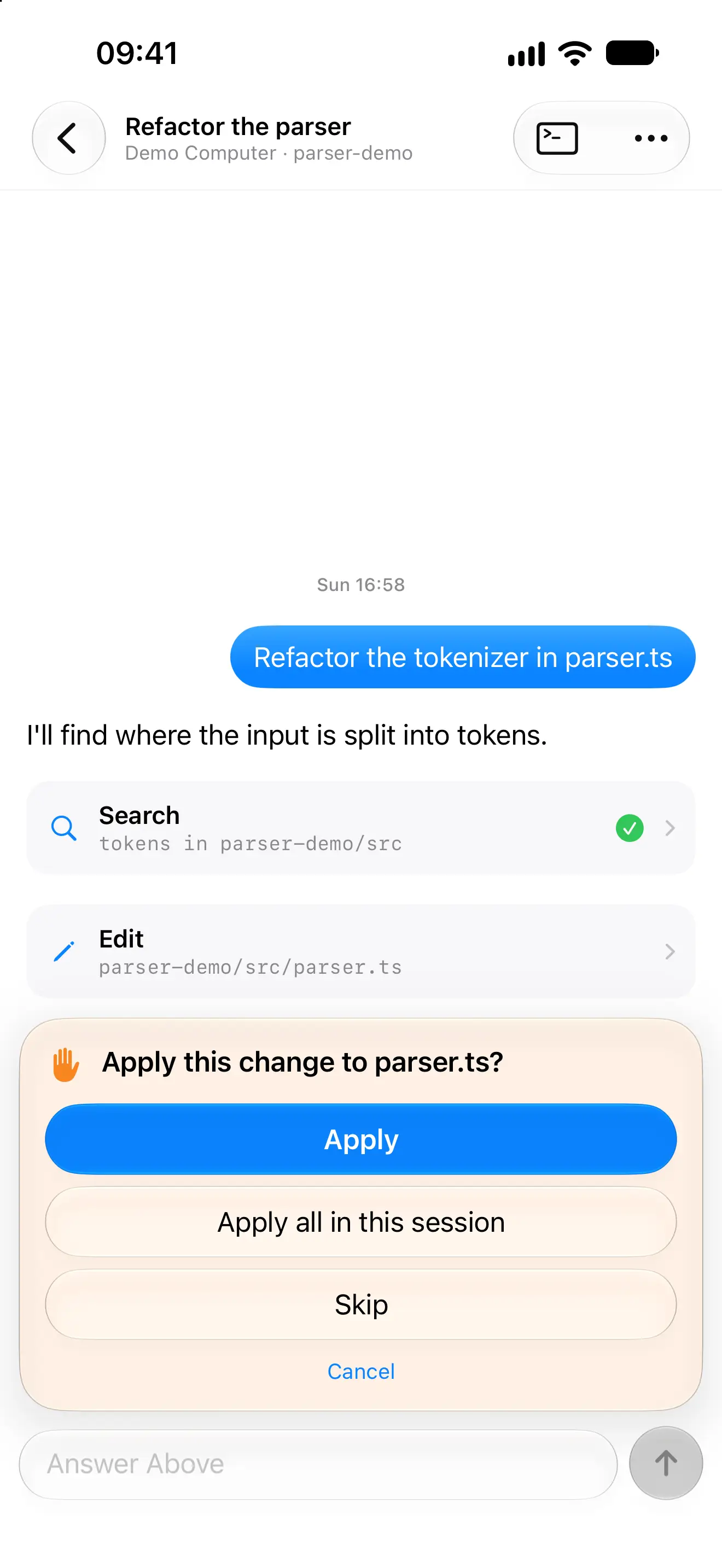
When an agent asks a question or waits for approval, a push notification and a question card arrive on your phone. Answer with a tap; the session keeps moving.
Live updates
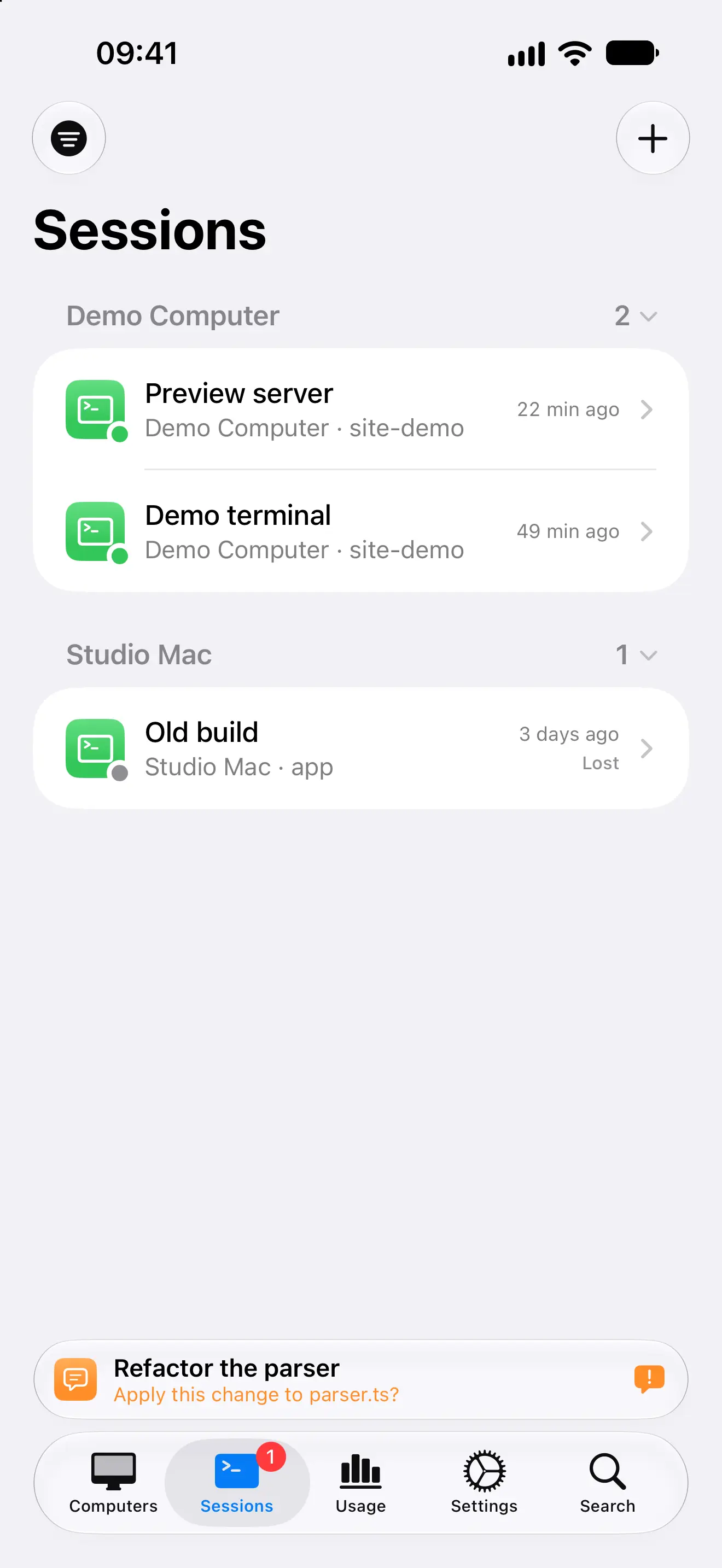
All your computers and sessions in one list, each with a short AI-written summary of what it is doing right now.
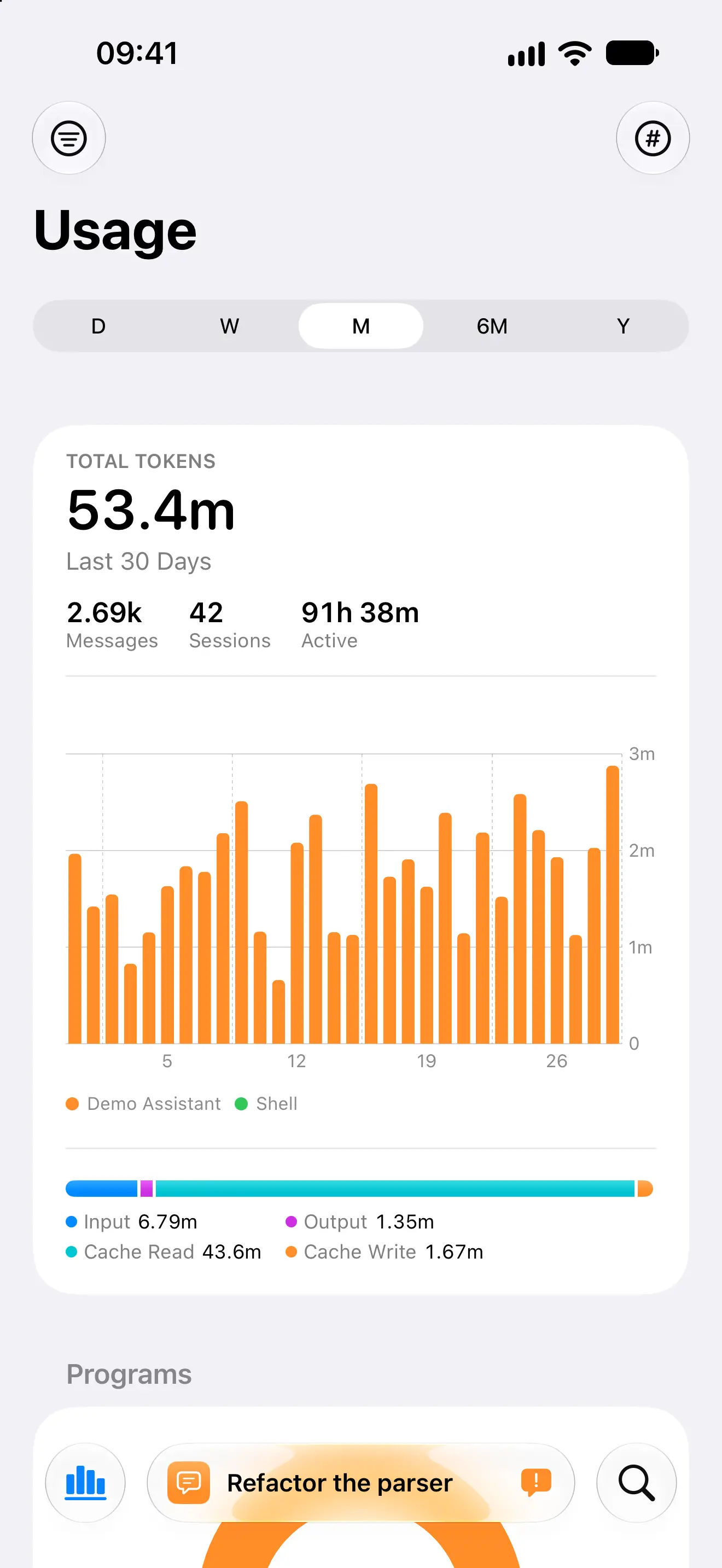
Usage & cost
Usage and estimated cost per session, per computer and per provider. Clearly labelled estimated — insight, not a bill.
And more
A short AI-written summary of what each session is doing, right on your Lock Screen. Glance, don’t unlock.
Unlimited computers and unlimited sessions per computer. Your fleet grows; the app doesn’t blink.
Add API keys and accounts — GitHub, Cloudflare, Hetzner and more — once on your phone. Every chosen computer gets them as environment variables in AI sessions. End-to-end encrypted with X25519 + AES-256-GCM: the relay never sees a plaintext value. SSH keys and server cards too.
See and control the computer’s screen — macOS, Windows and Linux, including Wayland. Touch and trackpad modes, full keyboard and shortcuts.
Get started
No open ports, no port forwarding, no VPN. The phone and your computers connect outbound to the relay — it works behind any NAT or firewall.
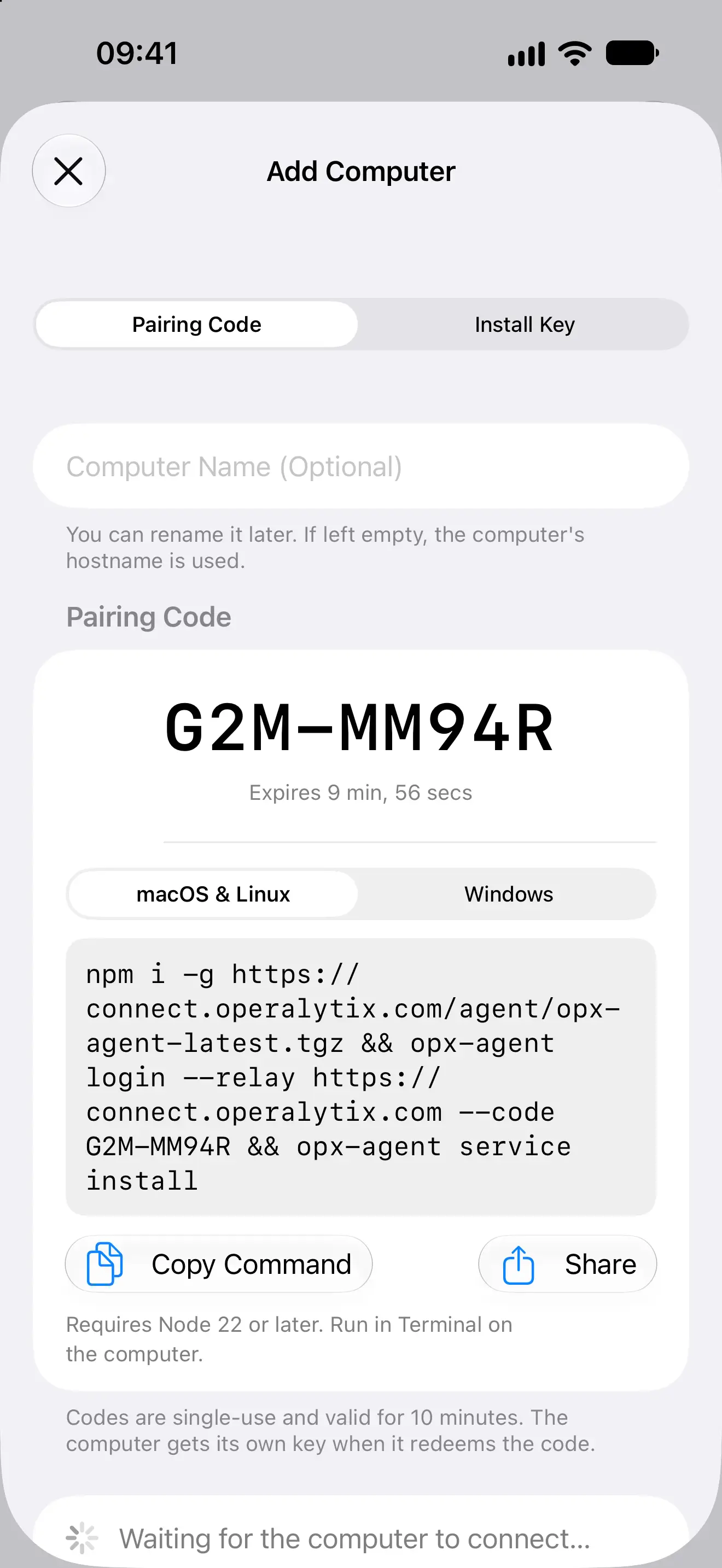
In the app, tap Computers → + and copy the code — or scan the QR.
One command on your computer. Node 22+ is all it needs.
opx-agent installs itself as a background service and reconnects on boot. Done.
npm i -g https://connect.operalytix.com/agent/opx-agent-latest.tgz
opx-agent login --relay https://connect.operalytix.com --code K7Q-M2XPA
opx-agent service install
macOS, Windows or Linux · Node 22+
Security
AI Connect is honest about what is encrypted, and how.
The phone and every computer dial out to the relay over TLS WebSocket. Nothing listens; nothing is exposed.
Connected-services secrets are sealed on your phone with X25519 + AES-256-GCM. The relay routes ciphertext it cannot read.
Terminal traffic is encrypted with TLS to the relay. We say end-to-end only where it is true: the vault.
While a screen is being viewed, the computer shows an on-screen indicator with a Stop button. Always.
opx-agent runs as a background service on macOS, Windows and Linux — including Wayland sessions.
Node 22+ · background service
Put them in your pocket. Free on the App Store.
Requires iOS 26 or later · iPhone